
AI CUSTOMER STORY
Converting complex Word documents into brand-aligned, import-ready InDesign content
Anonymous marketing-industry client · Claude + Cursor · June 2026
Executive Summary
An internal graphic design team regularly received 20–30-page Word documents that had to be rebuilt in Adobe InDesign. Each page carried its own graphics, formatting, and layout nuances, so designers could not simply flow text into a standard template. A typical conversion required approximately 25 hours of repetitive production work and still left room for missed details or inconsistent styling.
The team used Claude and Cursor to build an agent that combines the source Word document with an existing InDesign template and a detailed brand guide. The agent generates an import-ready IDML file, then checks spacing, padding, alignment, typography, and color before a designer performs final print and quality checks.
The result is an estimated 96% reduction in hands-on time: from about 25 hours to no more than one hour per document. At one conversion per month, that creates roughly 24 hours of new design capacity each month, or about 288 hours a year. The benefit is capacity rather than a cash-savings claim: routine conversions get finished while designers spend more time on higher-value creative work.
The Challenge
The client operates in the marketing industry and runs internal graphic design teams responsible for turning submitted content into polished branded materials. A recurring request kept arriving in a deceptively inconvenient format: a fully designed Word document that needed to become an editable, production-ready InDesign file.
The source documents were often 20 to 30 pages long. Every page could have different graphics, text arrangements, spacing, and visual details. Although the team already had blank InDesign templates with approved brand elements, the documents were not standardized enough for a simple copy-and-paste process.
Designers therefore started with a template and rebuilt each page by hand. They recreated the layout, placed the content, matched fonts and colors, adjusted spacing, and checked every visual nuance against the submitted Word file. The work demanded care, but much of it was repetitive production rather than original design.
Why the existing process fell short
A typical document took approximately 25 designer hours. That commitment made the work hard to schedule alongside more creative and urgent assignments, and some conversion requests were deferred simply because the team could not justify a long manual rebuild.
The manual process also introduced predictable quality risks. Small items could be missed during page-by-page recreation, and formatting consistency was not always ideal. Fonts, colors, spacing, and visual details all depended on repeated human adjustments across dozens of distinct layouts.
The business impact was broader than one slow task. Designers were already under pressure from other work, and this mundane conversion consumed time they could have spent on brand development and creative execution. Solving the problem would not remove the designer from the workflow; it would move the designer from repetitive construction to focused quality assurance.
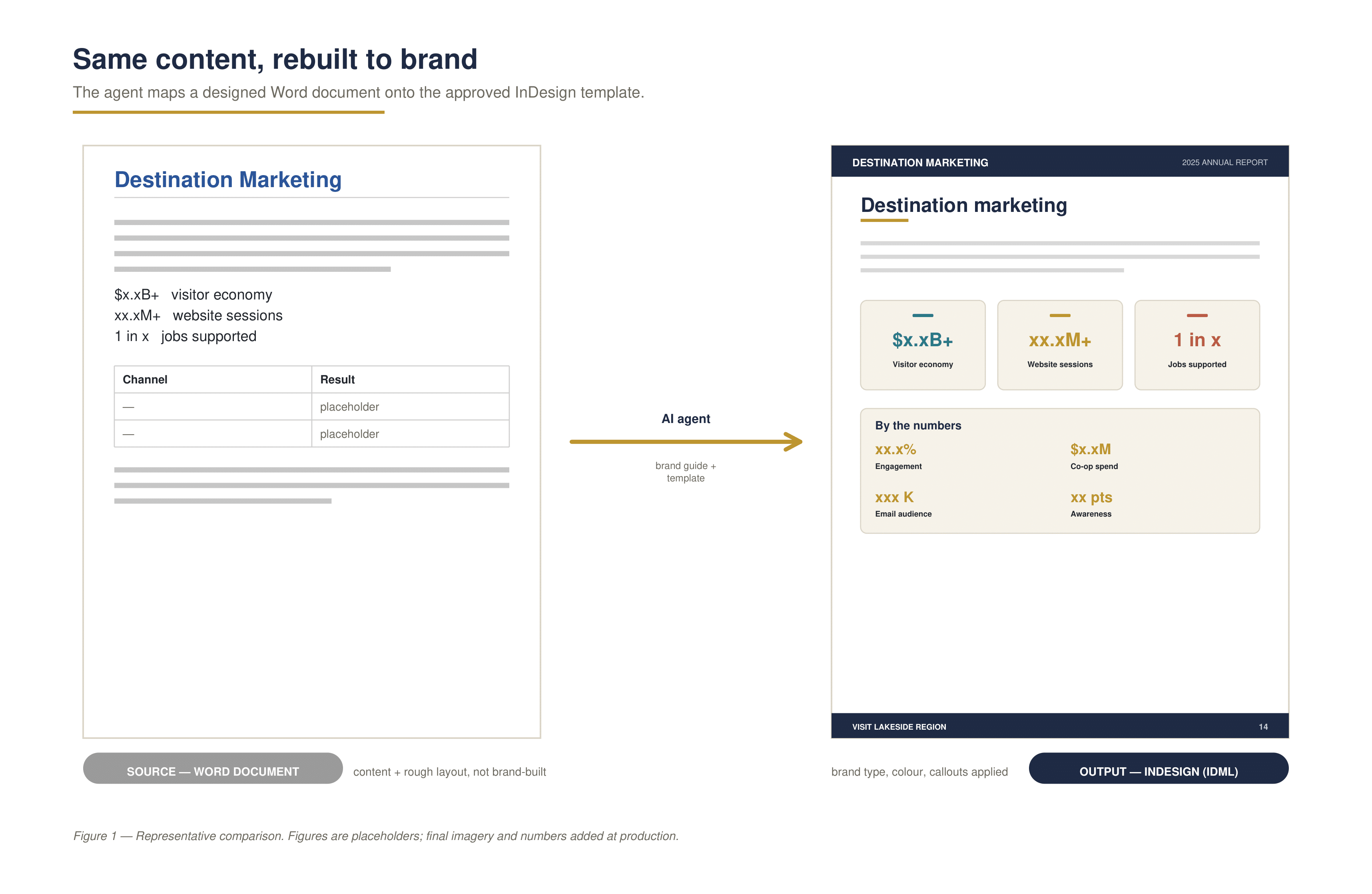
Figure 1. Source Word document versus the matched InDesign output. The agent maps the same content onto the approved template. Placeholder figures shown.
Designing the AI Solution
The team built the agent using Claude and Cursor. The exact document-processing libraries were not confirmed for this case study, so they are intentionally not listed. What matters operationally is the combination of three inputs: the source Word document, the established InDesign template, and a detailed brand guide.
The InDesign template already contained many approved design elements. This gave the agent a stable structure to map against rather than asking it to invent a design system. The brand guide supplied explicit rules for typography, colors, and other visual standards. Together, these resources let the agent translate Word content into branded InDesign elements while preserving consistency.
The output is an IDML file (InDesign Markup Language), which can be imported into InDesign for editing and final production. IDML provided a practical bridge between generated, structured content and the team’s existing design environment.
How the Workflow Operates
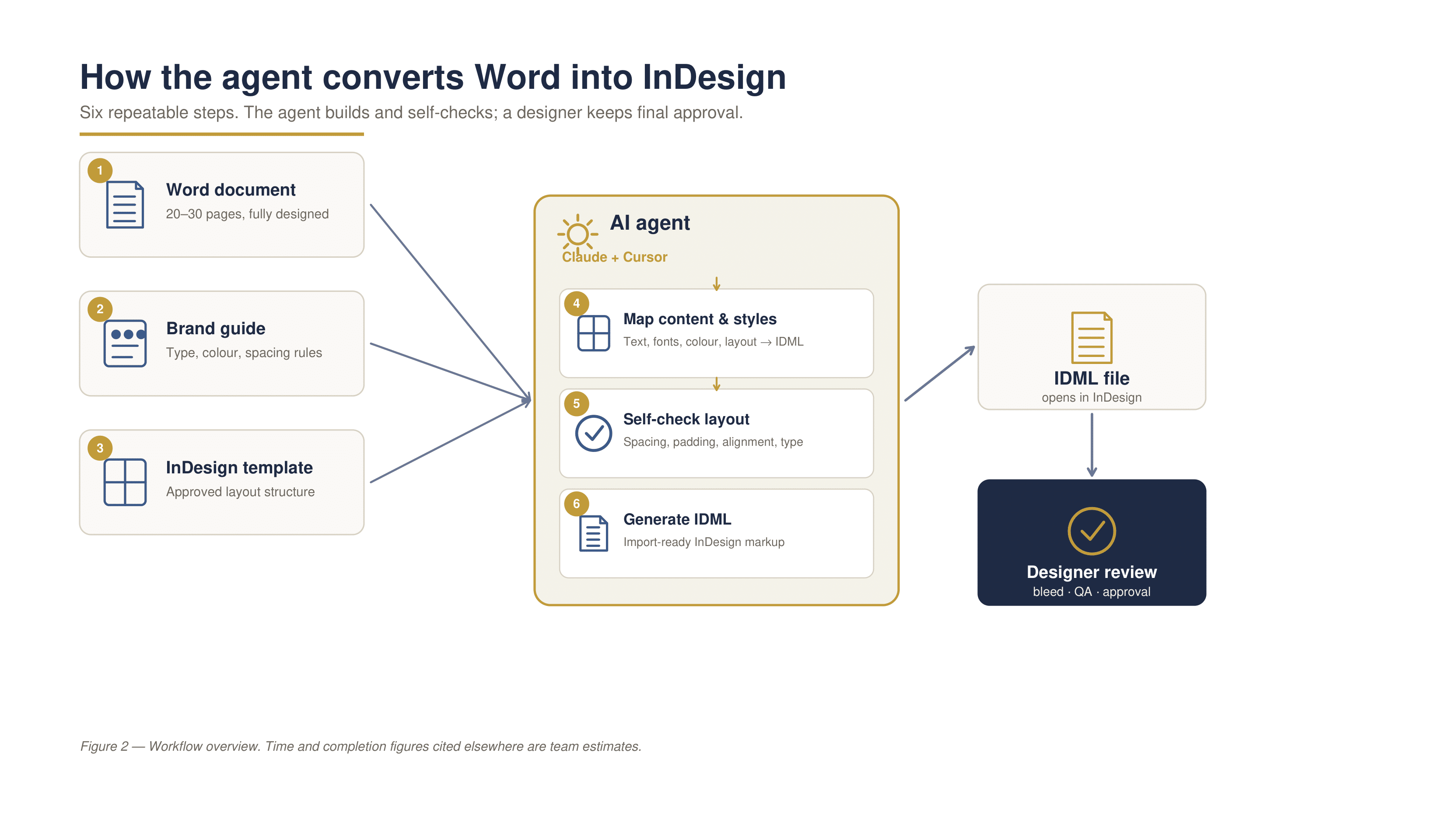
Figure 2. Workflow overview. The agent automates repeatable production steps while preserving human review for print readiness and approval.
- A designer supplies the 20–30-page Word document.
- The agent references the detailed brand guide and the existing InDesign template specifications.
- It maps content, fonts, colors, and layout elements into an IDML structure.
- A self-check reviews spacing, alignment, padding, typography, and color consistency.
- The agent produces an import-ready IDML file.
- A designer imports the file into InDesign and checks for mismatches, consistency, color or image bleed, and readiness for print or web output.
The human review remains essential. Printed materials require careful bleed treatment, and individual documents can contain unusual design details that need judgment. The automation handles the repeatable construction and checking; the designer retains responsibility for the final standard.
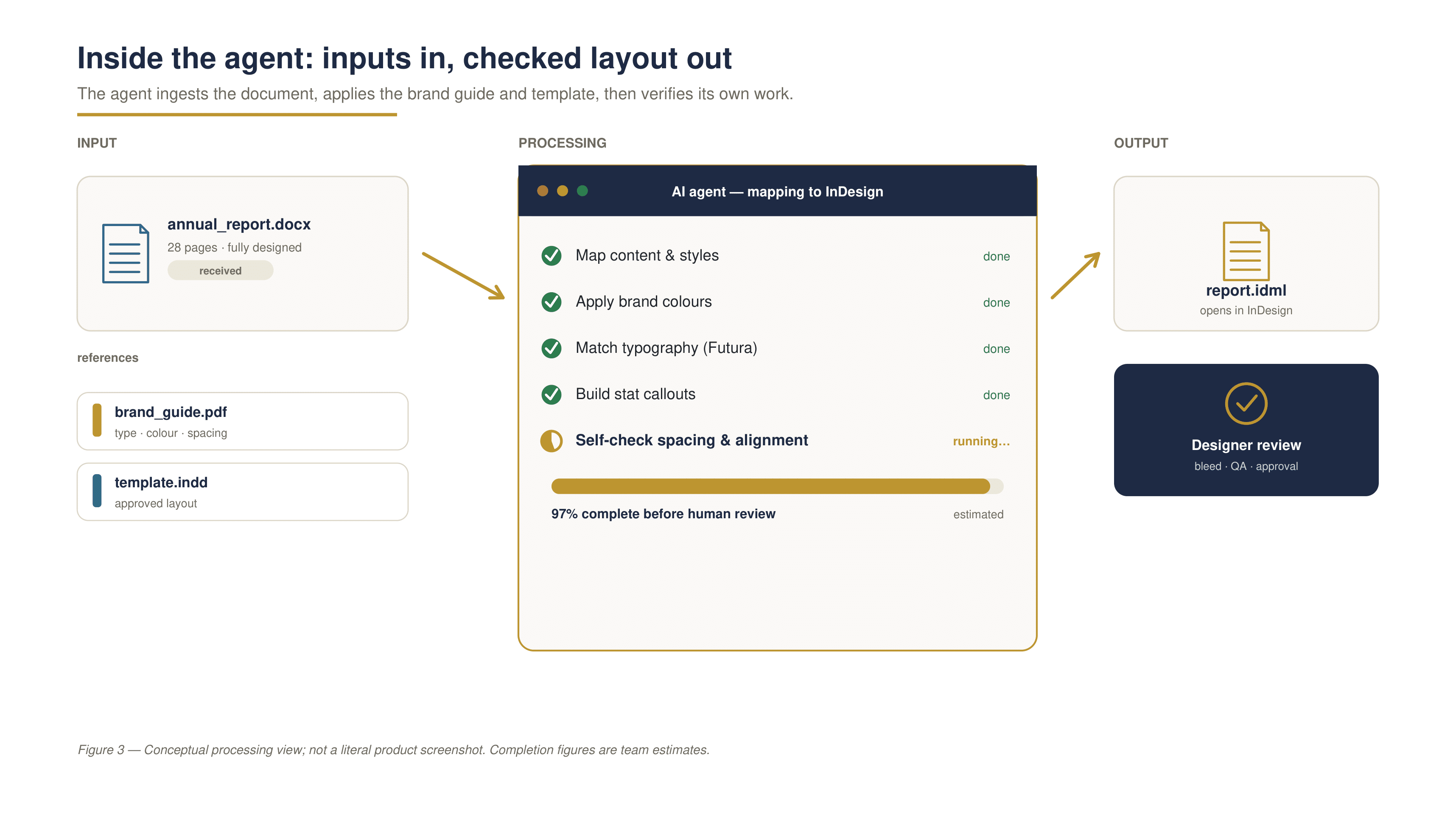
Figure 3. Agent input and processing view. The agent ingests a Word document, applies the brand guide and template, and self-checks layout before producing an IDML file for review. Conceptual view, not a literal product screenshot.
Implementation Journey
The first useful version was not perfect. Early output was assessed at roughly 80% complete, with layout issues that still required manual correction. Even at that level the team saw meaningful time-saving potential, but the remaining cleanup kept the process from feeling truly effortless.
The team reviewed generated files, identified recurring problems, and added more precise instructions. Importantly, the new instructions were written as reusable rules rather than one-off fixes for a single document. That improved future conversions as well as the immediate test case.
Spacing, alignment, and padding were initially handled by hand after generation. The team then realized those checks could be incorporated into the agent itself. By making the agent inspect and correct its own output, the workflow improved to an estimated 97% complete before human review.
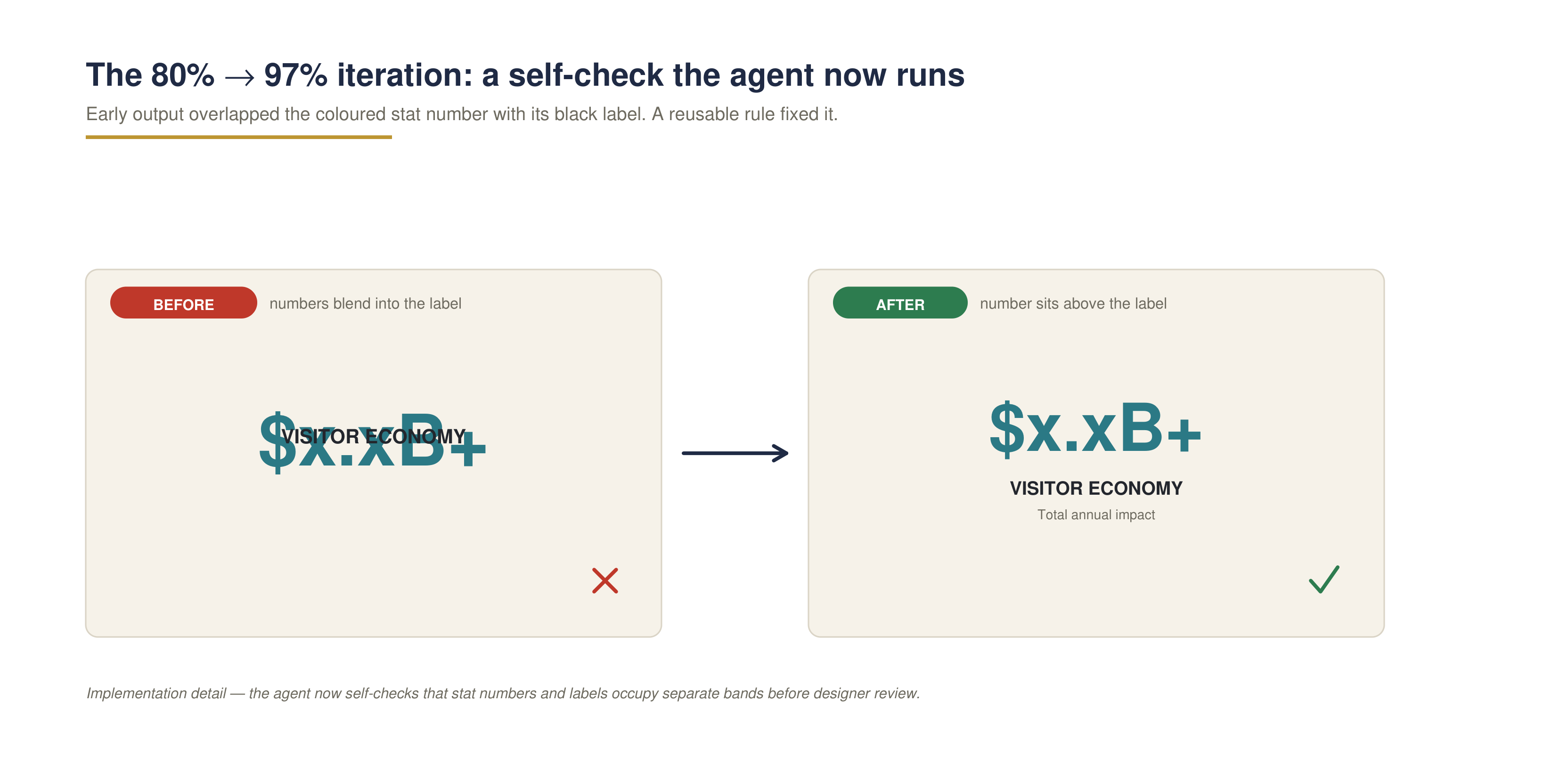
A concrete example: early output overlapped a colored stat number with its black label. The fix became a reusable rule the agent now self-checks before review.
The final few percentage points vary by project. Unique page details, print bleeds, and subtle mismatches still benefit from a trained designer’s eye. The team accepted this tradeoff because the goal was never unsupervised publishing; it was to remove the bulk of tedious reconstruction while preserving professional accountability.
Results and Impact
Table 1. Results are based on one typical 20–30-page conversion per month. Time and completion percentages are team estimates.
| Metric | Before | After |
|---|---|---|
| Hands-on time per document | ~25 hours | ≤ 1 hour |
| Output completeness before review | ~80% (early builds) | ~97% |
| Capacity created per document | — | ~24 hours |
| Design capacity per year (1/month) | — | ~288 hours |
| Reduction in hands-on effort | — | ~96% |
The clearest result is time. A typical conversion dropped from approximately 25 designer hours to no more than one hour, including final review. That represents about 24 hours of capacity created per document and an estimated 96% reduction in hands-on effort.
At a conservative frequency of one document per month, the workflow creates roughly 288 hours of design capacity per year. These figures represent capacity, not guaranteed cash savings. The client can use that time to complete work that was previously deferred or to redirect designers toward higher-value creative assignments.
Quality also became more consistent. Fonts and brand colors now follow the defined guide and template more reliably. The team still checks every file, but the review begins from a nearly complete, structured output rather than a blank page.
The change affected team attitudes as well as output. Some brand designers had associated AI primarily with image generation and worried about its effect on creative roles. This project offered a different model: AI could handle the repetitive production work that designers were least excited to perform, leaving the creative decisions and final judgment with the people trained to make them.
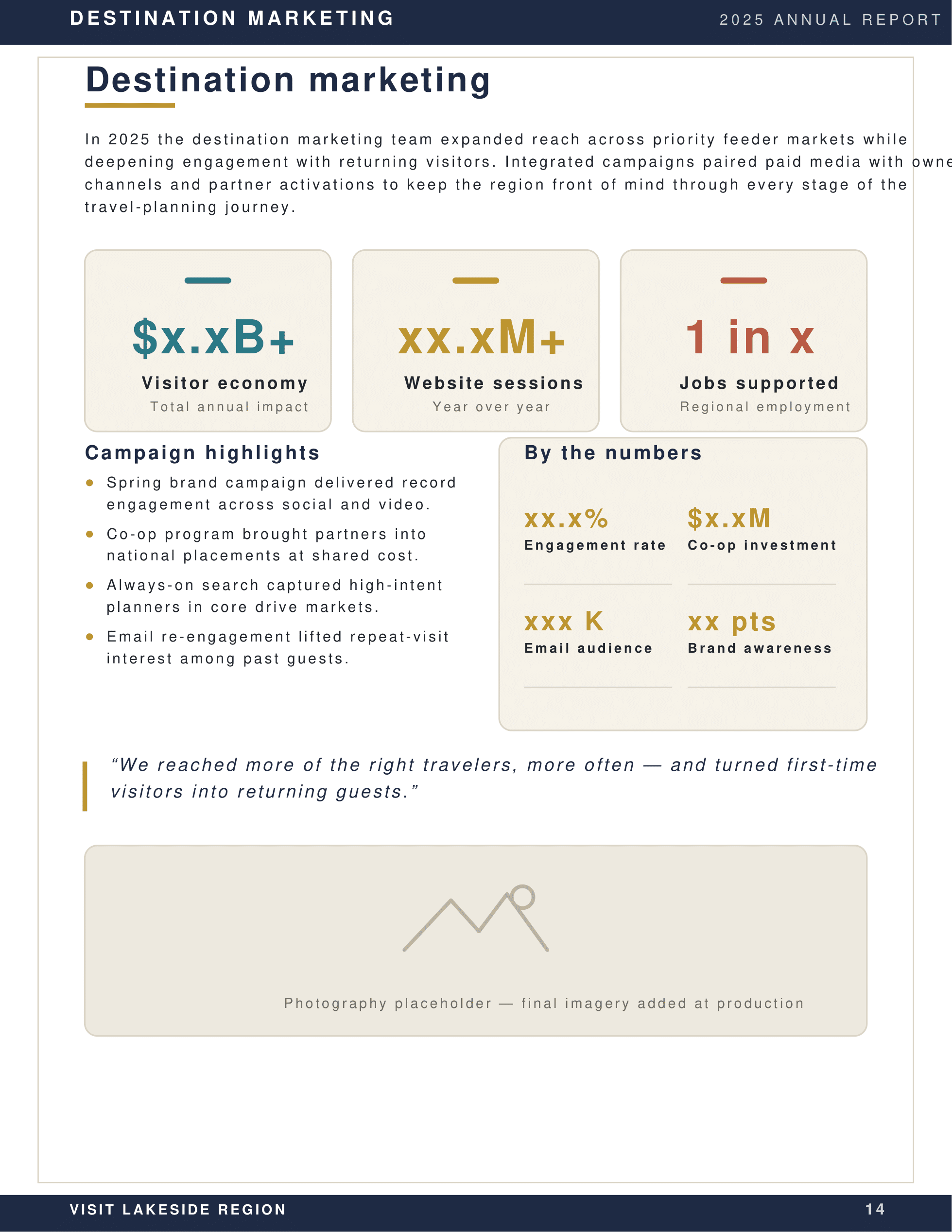
Figure 4. Representative final InDesign output: consistent brand typography, color, spacing, and stat callouts. Placeholder figures and imagery shown.
Lessons Learned
- Start with a tedious, rules-based task. The strongest opportunity was not generating new creative work; it was removing repetitive production steps.
- Use existing design systems as constraints. The brand guide and InDesign template gave the agent concrete standards to follow.
- Treat early output as a diagnostic. The move from roughly 80% to 97% came from studying recurring layout problems and converting fixes into reusable instructions.
- Automate quality checks as well as creation. Self-checking spacing, padding, alignment, fonts, and colors reduced the cleanup burden.
- Keep a designer in the approval loop. Bleed, project-specific mismatches, and final readiness still require professional review.
What Comes Next
No formal version 2.0 features are planned at this stage. The current workflow meets the team’s immediate need, and the priority is to keep using it on suitable documents while watching for new edge cases. Future improvements should be driven by recurring evidence from real projects rather than added complexity for its own sake.
Key Takeaways
- A 20–30-page Word-to-InDesign conversion fell from about 25 hours to no more than one hour.
- At one document per month, the agent creates an estimated 24 hours of monthly design capacity — about 288 hours per year.
- Brand guides and existing templates gave the agent reliable constraints for typography, colors, and layout.
- Reusable instructions and automated self-checks improved output from roughly 80% to an estimated 97% complete.
- The project helped designers see AI as support for creative work rather than a replacement for creative judgment.